Live TV, your way.
Connect your IPTV with Xtream Codes or M3U. Add HDHomeRun for antenna TV, or a compatible custom tuner such as xTeVe, Threadfin or Dispatcharr. Supported Plex, Jellyfin and Emby Live TV connections belong here too.
Two channels. One screen.
Watch two live IPTV channels side by side. Follow the game while keeping an eye on the news, or enjoy two events at once. Choose the audio, change either channel through its own guide, and switch between 50/50, 70/30 and 30/70 layouts.
Split View supports up to two IPTV streams on compatible devices. Your service needs two available streams.
A guide that works for you.
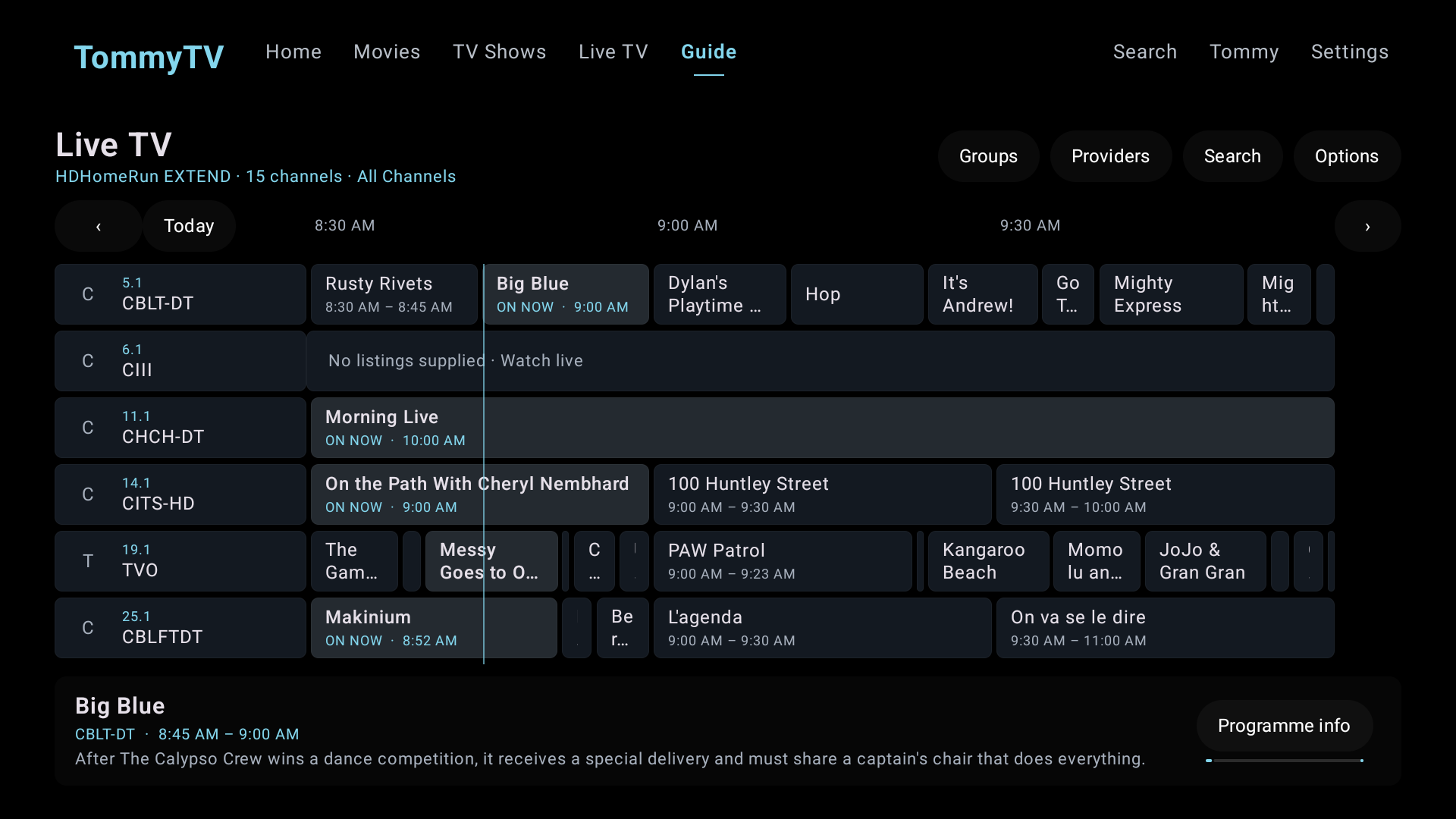
See what’s on and what’s next. Find channels by name or number, save favourites and organize provider or custom groups. Hide the groups you don’t use.
Keep watching while you browse the guide, then return to fullscreen. RnRFlix remembers your browsing context for each connection.
How to add IPTV.
- Get your Xtream Codes login or M3U playlist URL from your IPTV service.
- Open your Live TV connections in RnRFlix and add a connection.
- Choose Provider / Xtream Codes or M3U playlist.
- Enter your connection details. Add the XMLTV guide URL if your provider supplies one.
- Load your channels, choose your groups and start watching.
Channels, categories and programme listings come from your source. Catch-up availability depends on your provider and RnRFlix support for that connection.
Connect an antenna tuner.
Add your HDHomeRun on the same network, load its channels and available guide data, then arrange your favourites. Compatible custom tuners can connect through their HDHomeRun or M3U/XMLTV interfaces.